Dispute & Resolution
Overview
Lets an agent view, search, and file disputes on behalf of rate payers — e.g. a billing discrepancy or property record issue raised in the field.
Navigate to: Home → More → Dispute & Resolution

Disputes List
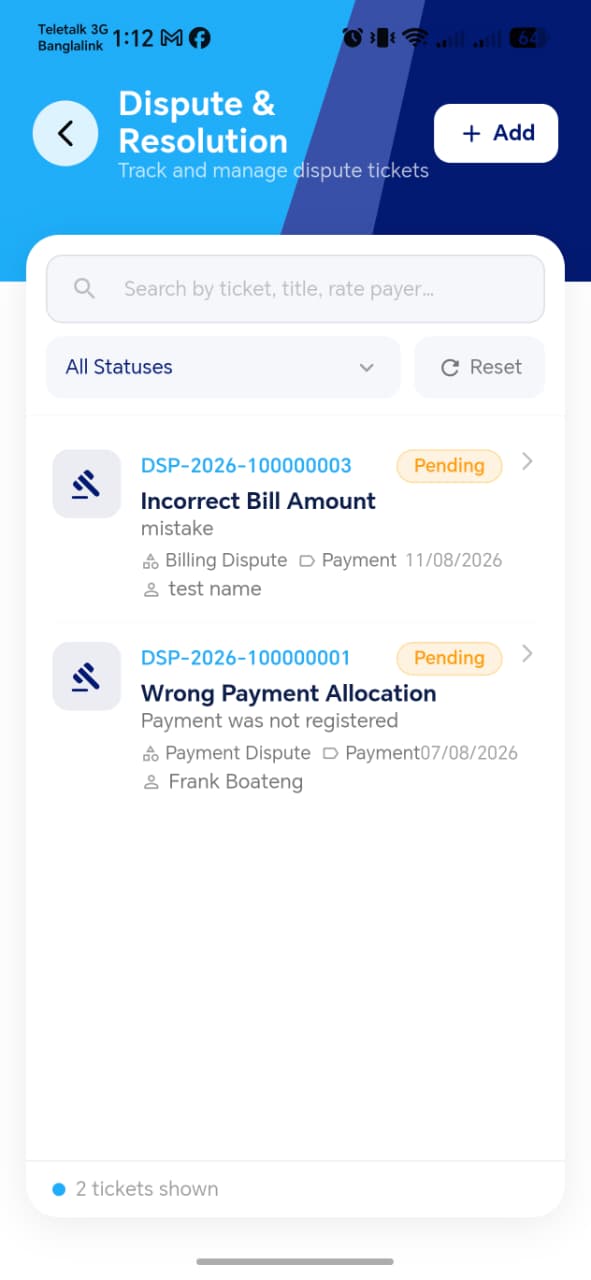
| Element | Description |
|---|---|
| Search | Search disputes (likely by rate payer, property, or dispute ID — confirm exact fields once the screenshot is in) |
| Dispute entries | Each should show at minimum a status, title/category, and the rate payer it's linked to — mirroring the Owner App's dispute cards |
| Add Dispute | Opens the Add Dispute form |
!!! tip "Things to check" - Search correctly filters by whichever fields it supports - The list only shows disputes relevant to this agent's assigned rate payers/blocks, not every dispute system-wide - Tapping an entry opens the correct Dispute Details for that dispute
Add Dispute
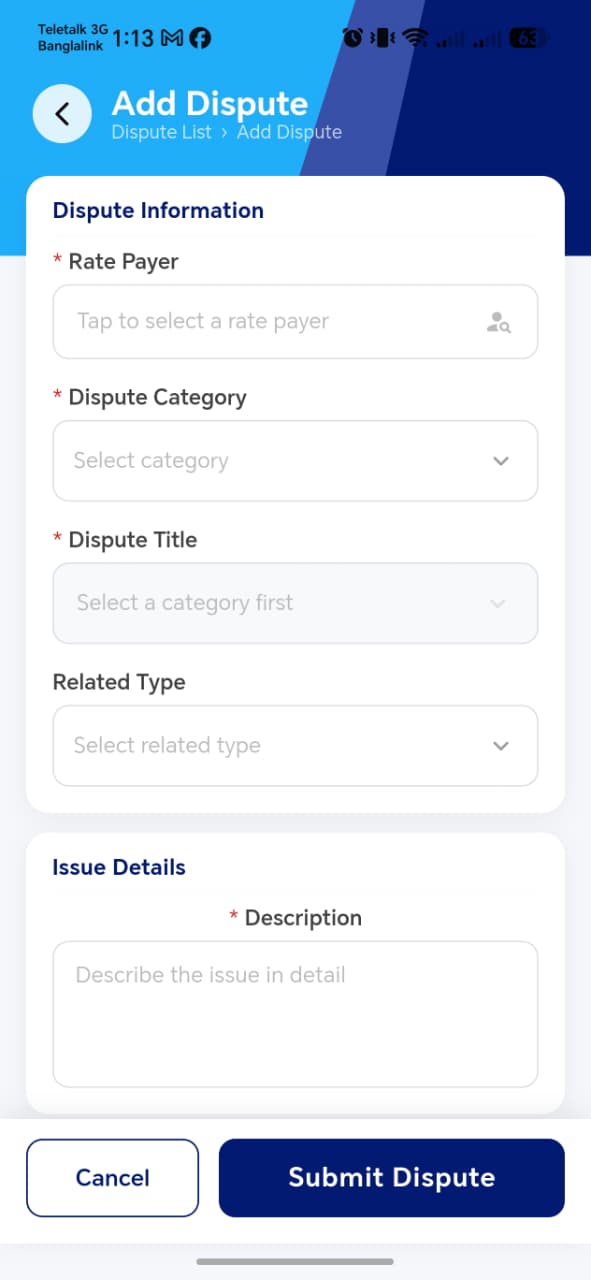
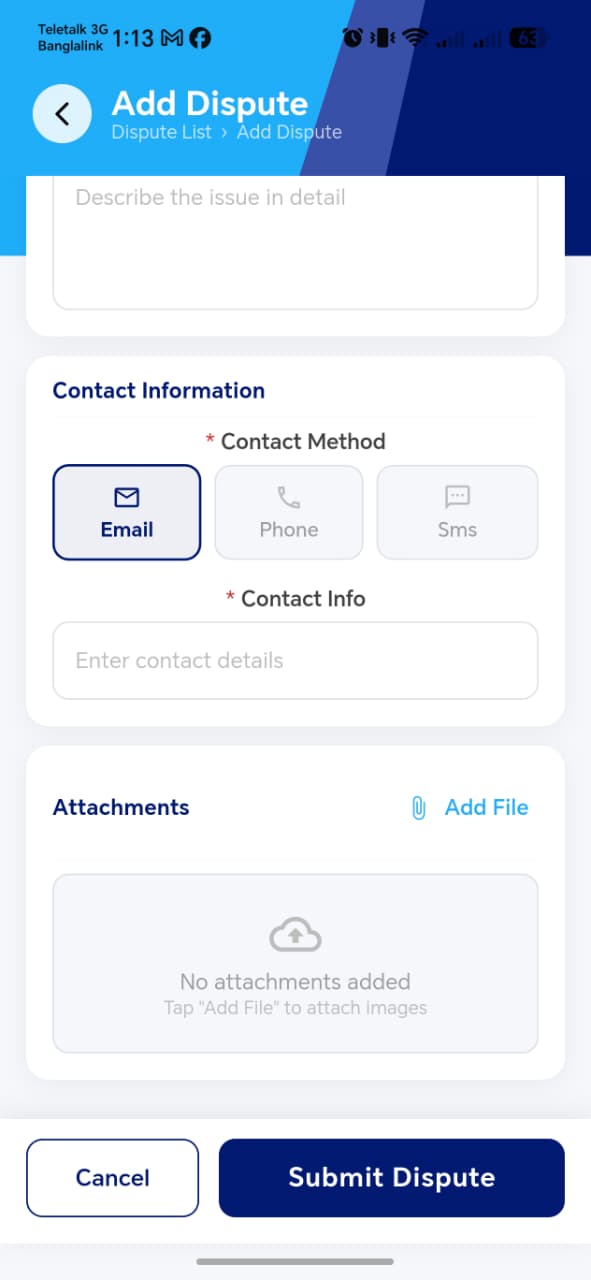
Per the functional spec, the form requires:
| Field | Notes |
|---|---|
| Rate Payer | Likely a search/select field, similar to Step 1 of Add Property |
| Dispute Category | Dropdown |
| Dispute Title | Free text |
| Related Type | Dropdown |
| Issue Description | Free text |
| Contact Method & Info | How the rate payer prefers to be reached about this dispute |
| File Attachments | Optional |
!!! tip "Things to check" - Rate Payer search correctly finds and links the intended rate payer — worth testing with a rate payer who has multiple properties, to confirm the dispute isn't ambiguously tied to the wrong one - All the fields marked required in the spec (everything except File Attachments) actually block submission when left blank - Compare this form against the Owner App's Add Dispute form — the Owner App version doesn't require selecting a Rate Payer (it's implicitly the logged-in user) or a Contact Method the same way, so worth confirming both forms produce disputes that show up consistently in whatever backend/admin view resolves them - File attachment limits (count/size/type) match what's enforced elsewhere in the app (e.g. 5 items, JPG/PNG/PDF, per the Owner App and Add Property patterns)
Dispute Details
Success Banner

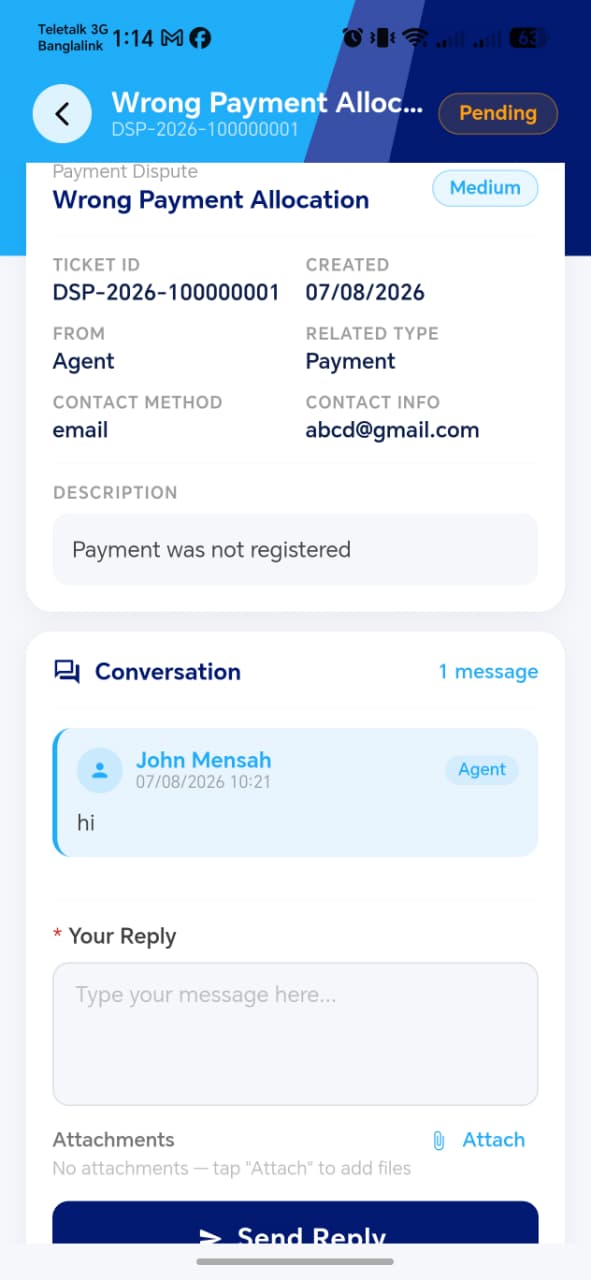
Shows the full dispute record and supports in-page messaging — this is a meaningful difference from the Owner App's version, which only showed a reply box with "No replies yet." Here, confirm:
| Element | Description |
|---|---|
| Dispute summary | Category, title, status, priority, rate payer, related type, date filed, reason/description |
| Attachments | Files submitted with the dispute |
| Messaging thread | Two-way messages between agent and whoever is resolving the dispute (back office / admin) |
!!! tip "Things to check" - Messages sent from here appear on the resolver's side (back office) and vice versa — this needs to be verified as a real two-way channel, not just a one-way note - Status changes made elsewhere (e.g. by the back office) reflect here promptly - Confirm whether the agent can edit or withdraw a dispute after filing it, or whether it's a one-way submission once created