Notifications
Overview
The agent's notification center — reachable either from the dashboard bell icon or from More, with identical behavior either way per the spec.
Navigate to: Home → Notification bell or Home → More → Notification
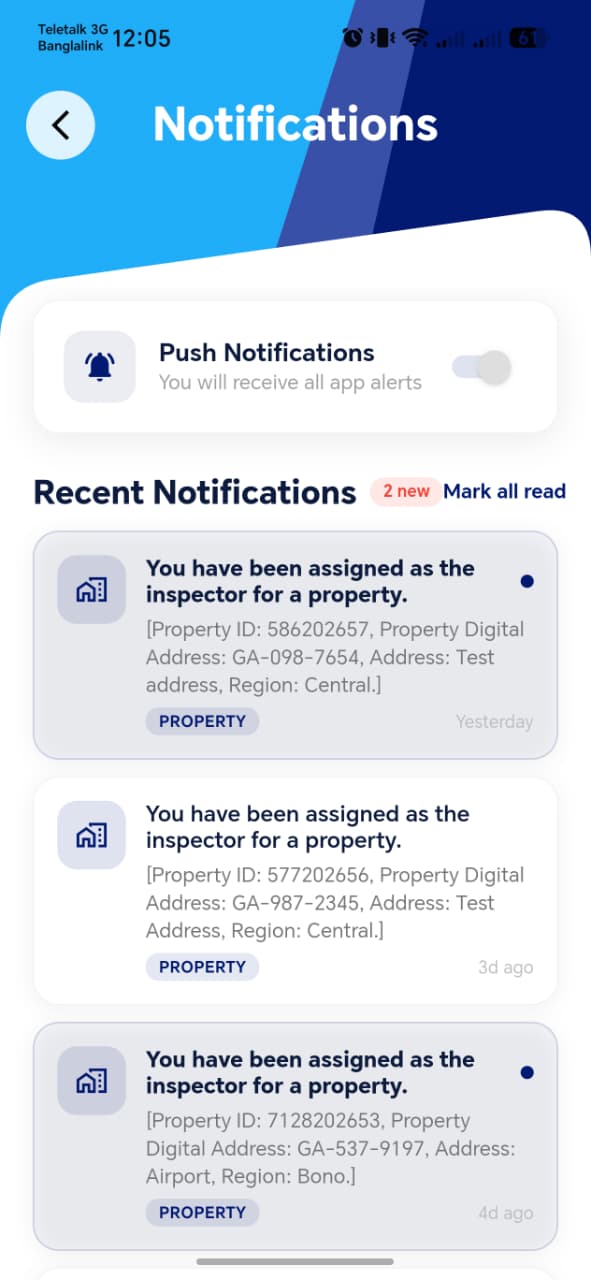
| Element | Description |
|---|---|
| Notification list | All notifications for this agent |
| Enable toggle | Shown only if notifications are currently off — lets the agent turn them on |
| Tapping a notification | Navigates to the related record (e.g. a specific bill in Bill Distribution, or a specific Property Inspection) |
Notification Details
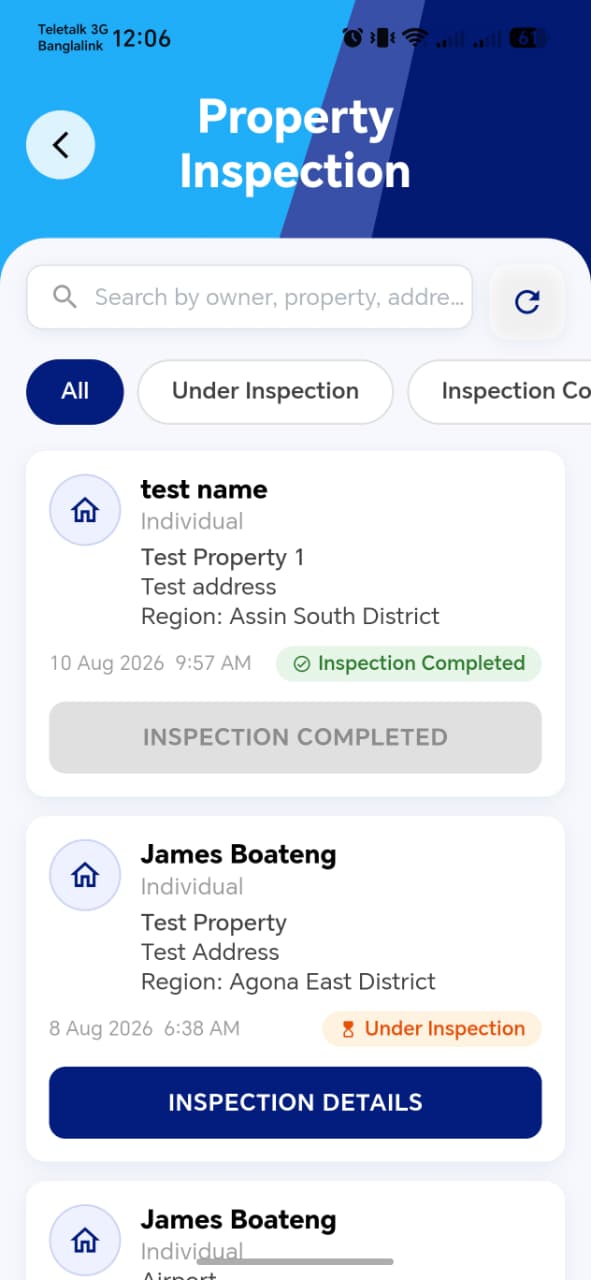
!!! info "One-way toggle, by design" Per the functional spec: if notifications are already on, there is no way to disable them from this screen. This isn't a bug to flag — it's documented, intentional behavior — but it's worth confirming the client is aware of this constraint, since it's an unusual UX choice worth calling out explicitly during review rather than assuming it's self-evident.
!!! tip "Things to check" - The enable toggle genuinely disappears (not just greys out) once notifications are on, matching the spec's "cannot be disabled from this screen" behavior - Each notification type deep-links to the correct destination — test at least one of each kind (e.g. a bill distribution notification, an inspection notification, a dispute update) - Unread badge count on the dashboard bell icon matches the actual unread count here, and clears appropriately once notifications are viewed/opened - New notifications appear here promptly (not requiring a full app restart) after the triggering event happens elsewhere in the system