Getting Started: Onboarding & Login
Overview
The first time a rate payer opens iDARMS (Integrated District Assembly Revenue Management System), they are asked to allow notification, then they're shown a short onboarding carousel introducing the app, followed by the login screen.
Onboarding Carousel
A 5-slide introduction shown on first launch. Each slide has a Skip link (top right) that jumps straight to login, and a Create an account link that goes to sign-up.
| Slide | Headline | Message |
|---|---|---|
| 1 | Welcome | Manage your property records and payments — securely, in one app. |
| 2 | Register & Verify | Search, register, and verify your property instantly. |
| 3 | Pay Anytime | Pay via online, USSD, bank, or authorized agents — fast and safe. |
| 4 | Stay Notified | Get reminders, receipts, and important updates on time. |
| 5 | Secure & Trusted | Government-backed system with strong data protection. |
On the last slide, the primary button changes from NEXT to GET STARTED, which takes the rate payer to the login screen.
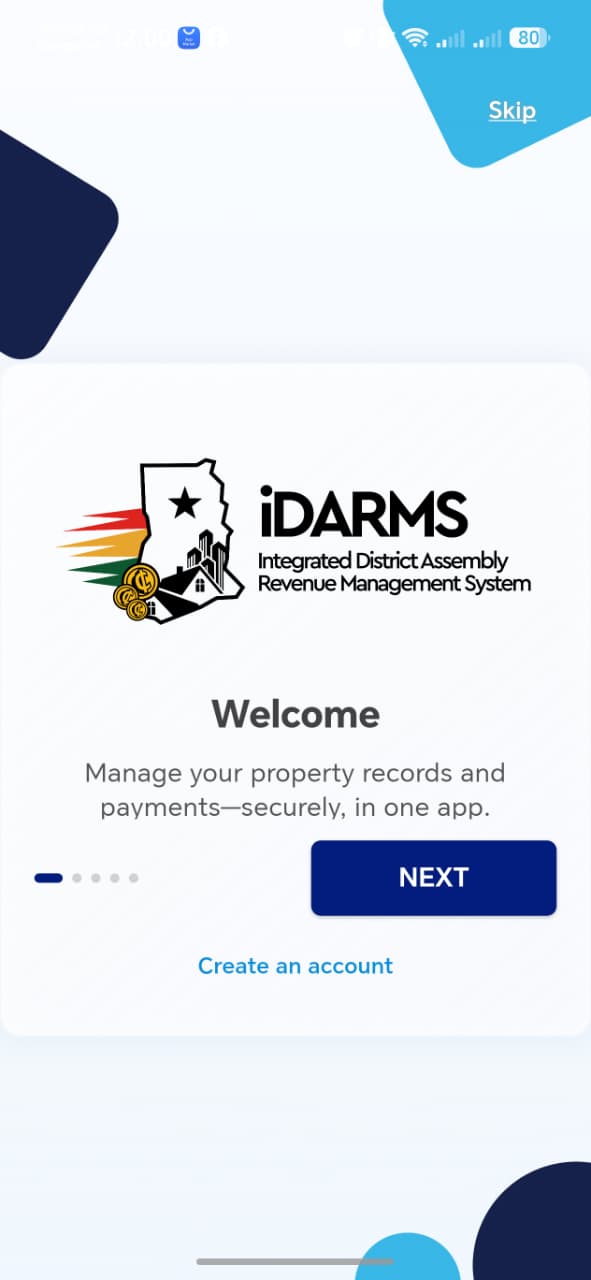

!!! tip "Things to check" Confirm Skip works from any slide, the dot indicator matches the current slide, and Create an account is reachable from every slide — not just the last one.
Login Screen
Navigate to: Onboarding → Get Started → Login
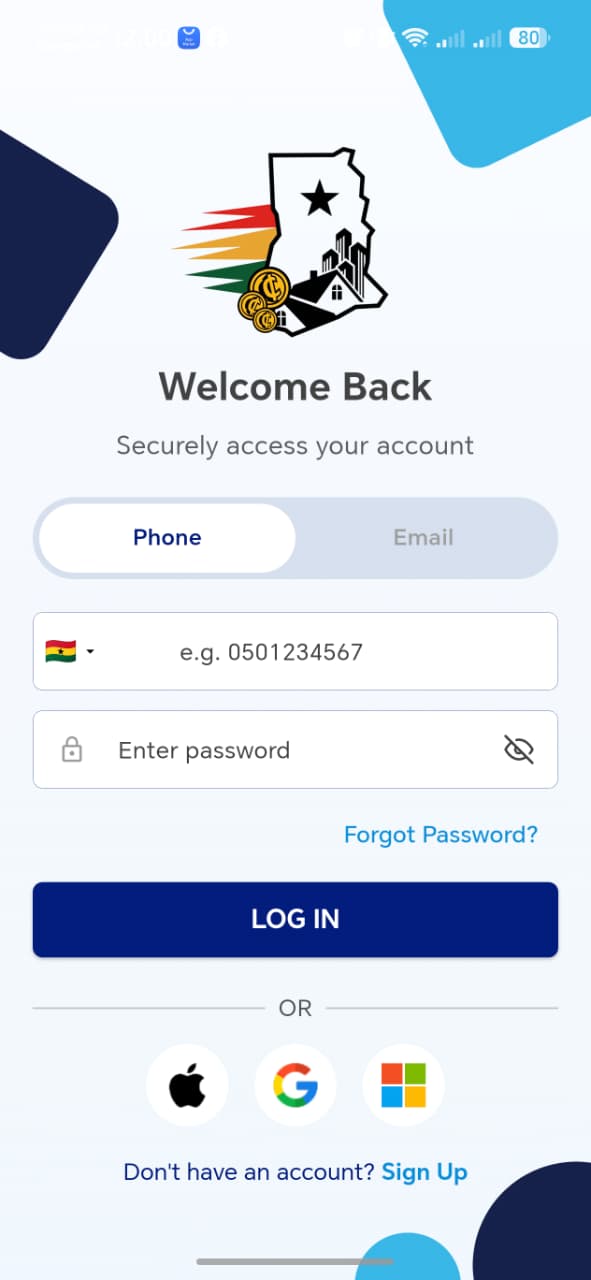
The login screen supports two ways to sign in, switched via a toggle at the top:
| Tab | Input |
|---|---|
| Phone | Country code (defaults to Ghana 🇬🇭) + phone number, e.g. 0501234567 |
| Email address |
Both modes also require a Password, with a show/hide (eye) toggle.
Other elements on this screen:
- Forgot Password? link, above the login button
- LOG IN button
- Social login: Apple, Google, Microsoft
- Don't have an account? Sign Up link at the bottom
!!! info "Verify on this screen" - Switching between Phone and Email tabs clears/keeps input appropriately - Invalid phone format or wrong password shows a clear error, not a silent failure - Password field masks input by default and toggles visibility correctly - Each social login option (Apple / Google / Microsoft) completes sign-in - Forgot Password? starts a working reset flow - Sign Up correctly routes to registration for a new rate payer